

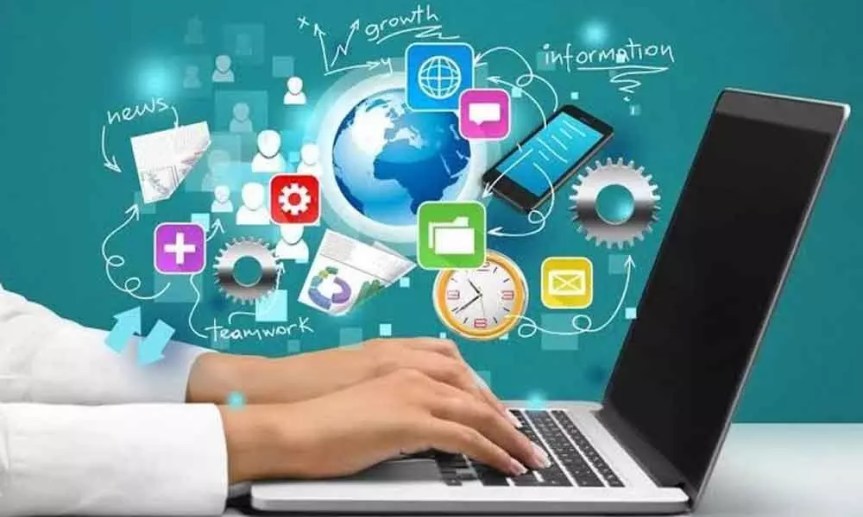
Computers are an integral part of modern life, influencing how we work, communicate, and entertain ourselves. Whether you’re a casual user or a tech enthusiast, understanding the core components of computers can enhance your digital experience and empower you to make informed choices. This article breaks down the essential elements that make computers function, detailing their roles and significance.
The Central Processing Unit (CPU)
At the heart of every computer lies the Central Processing Unit (CPU), often referred to as its “brain.” The CPU performs the bulk of the calculations and processes necessary for running programs. It executes instructions, manages data, and communicates with other components.
Modern CPUs are built with multiple cores, which means they can handle several tasks at once. This multi-core architecture is crucial for running complex applications, such as video editing software and high-performance games, as it allows for smoother multitasking and enhanced processing speed. When selecting a CPU, it’s important to consider factors like clock speed (measured in gigahertz) and cache size, as these specifications directly impact performance.
Random Access Memory (RAM)
Random Access Memory (RAM) functions as a computer’s short-term memory. It temporarily stores data that the CPU needs to access quickly while executing tasks. Unlike long-term storage solutions such as hard drives, RAM is volatile, meaning it loses its content when the computer is powered off.
The amount of RAM is crucial for overall system performance. More RAM enables a computer to handle multiple applications simultaneously without lag. For everyday tasks like browsing and word processing, 8GB is often sufficient. However, for gamers or professionals working with resource-intensive software, 16GB or more is recommended. Upgrading RAM is a common way to improve a computer’s responsiveness and efficiency.
Storage Options: HDD vs. SSD
Storage is a fundamental aspect of any computer, and users typically choose between two main types: Hard Disk Drives (HDD) and Solid State Drives (SSD).
HDDs have been the traditional choice for many years. They use spinning disks to read and write data and generally offer larger storage capacities at a lower cost. While they are suitable for users who require significant storage without a focus on speed, their mechanical nature can make them slower compared to SSDs.
SSDs, however, use flash memory, which results in much faster data access and boot times. They are more reliable, consume less power, and operate silently, making them an attractive option for those prioritizing performance. As prices for SSDs have decreased, they have become increasingly popular, often leading users to choose them over traditional HDDs for new systems.
Graphics Processing Unit (GPU)
The Graphics Processing Unit (GPU) is essential for rendering images and video. This component is particularly important for gamers, graphic designers, and anyone involved in video production.
While many computers come with integrated graphics that are sufficient for basic tasks, dedicated GPUs offer far superior performance by managing graphics processing independently. With advancements in GPU technology, users can experience enhanced visual fidelity, faster frame rates in gaming, and improved rendering capabilities in creative applications. When selecting a GPU, it’s important to consider the specific needs of your work or gaming experience to ensure optimal performance.
Motherboard: The Central Hub
The motherboard acts as the central hub of a computer, connecting all components and allowing them to communicate. It houses the CPU, RAM, and other critical elements while providing slots and ports for additional hardware.
Choosing the right motherboard is essential, as it dictates compatibility with the CPU and RAM, as well as the potential for future upgrades. Key factors to consider include the motherboard’s form factor, the number of expansion slots available, and the types of ports it supports. A well-chosen motherboard can enhance system performance and provide flexibility for future enhancements.
Power Supply Unit (PSU)
The Power Supply Unit (PSU) is crucial for converting electrical power from an outlet into usable power for the computer’s components. Often overlooked, the PSU is essential for ensuring system stability and reliability.
The wattage rating of a PSU indicates how much power it can provide to the components. Selecting a PSU with insufficient wattage can lead to system instability and even damage. When building or upgrading a computer, investing in a high-quality PSU from a reputable brand can safeguard your components and contribute to a longer lifespan for the entire system.
Operating System (OS)
The operating system (OS) serves as the bridge between the user and the computer hardware. It manages resources, provides a user interface, and enables the execution of applications.
Popular operating systems include Microsoft Windows, macOS, and various distributions of Linux. Each OS has its unique features, strengths, and weaknesses, making the choice highly dependent on individual needs and preferences. Understanding the capabilities of different operating systems can help users select the one that aligns best with their requirements, whether for gaming, professional use, or general browsing.
Networking Components
In today’s interconnected world, networking components like routers, modems, and network interface cards (NICs) are essential for establishing internet connectivity and communication between devices.
A reliable network enables smooth streaming, gaming, and online collaboration. As wireless technology continues to advance, newer standards provide faster speeds and improved reliability. Evaluating your network needs—such as the number of devices, desired speed, and coverage area—can guide you in selecting the right networking equipment for your home or office.
The Future of Computing
As technology progresses, computers continue to adapt to new challenges and demands. Emerging fields such as artificial intelligence, quantum computing, and cloud services are shaping the future of how we interact with technology.
Understanding the fundamental components of computers is not just for tech enthusiasts; it empowers everyone to make informed decisions about technology in their lives. By grasping how these essential parts work together, users can optimize their experience and harness the full potential of their devices, ensuring they remain effective tools in an ever-evolving digital landscape.
 247 Web Technology Blog