

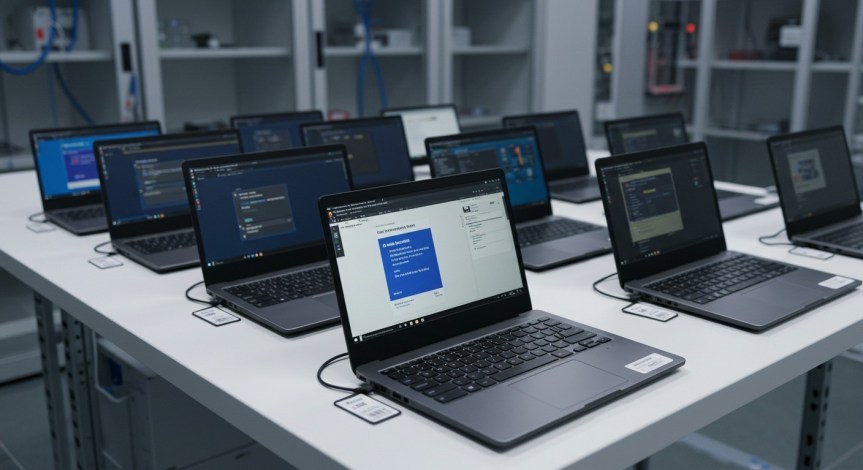
Most IT managers have lived through some version of this. Forty contractors start on the first of the month, the project sponsor signed off the budget a week ago, and the hardware order is stuck somewhere between approval and delivery. On day one, people sit at empty desks, borrowing each other’s logins and burning through billable hours.
It’s one of the main reasons demand for laptop rentals UK-wide has grown well beyond the event and conference market. Businesses of every size now use rented laptops to cover project teams, seasonal staff, audits, office moves and training programmes. The aim isn’t to replace the core fleet. It’s to stop temporary demand from turning into permanent spend.
This guide covers when renting makes financial and practical sense, how to specify machines properly, what to ask about security and setup, and how to handle deliveries to people who may be spread across the country. Whether you’re kitting out a single consultant or a hundred-strong project team, the same principles apply.
When Laptop Hire Makes More Sense Than Buying
Buying laptops works well for permanent staff with predictable needs. It works much less well when your headcount moves up and down. Every machine bought for a three-month project becomes a depreciating asset that needs storing, updating, securing and eventually disposing of.
Laptop hire turns that into a service. You take the machines for as long as you need them, then hand them back. Common scenarios where that pays off include:
- Project teams and contractors. A consultancy lands a large engagement, or a systems migration needs extra hands for a few months.
- Seasonal peaks. Retail head offices, tax and accounting firms, and customer service centres often scale up for predictable busy periods.
- Training and assessments. A room full of identical machines for a course, an induction week or an exam sitting.
- Office moves and refits. Keeping people working while permanent kit is being moved, rebuilt or replaced.
- Business continuity. When a batch of machines fails, is stolen or needs recalling, rented laptops keep teams productive while you sort out the longer-term fix.
- Pilots and trials. Testing a new operating system, software stack or hardware model with a small group before a larger rollout.
The common thread is time. If you can put an end date on the need, it’s worth pricing up rental alongside purchase.
Specifying the Right Machine
The fastest way to get a rental wrong is to ask for “a laptop”. Specification should follow the work, not the other way round.
Processor and memory. For office productivity, browser-based tools and video calls, a mid-range processor with 16GB of memory is a comfortable baseline these days. Data analysts, developers and anyone running virtual machines will want more. Designers and video editors may need dedicated graphics.
Operating system. Match whatever your team already uses, and confirm the exact version. Mixed fleets create support headaches and can break compatibility with internal tools.
Screen size and weight. People who travel between client sites will thank you for a lighter 13 or 14-inch machine. People working at a desk all day may prefer 15 or 16 inches, or a docking station with an external monitor.
Battery life. For trade shows, field teams and hybrid workers, genuine all-day battery life matters more than raw performance.
Ports and connectivity. Check what your team needs to plug in: projectors, docking stations, card readers, wired networks. The right adapters, supplied with the machine, save a lot of frustration.
On-device AI capability. A growing number of business laptops now include dedicated AI processing chips. If your team uses tools that take advantage of them, it’s worth asking about. If not, don’t pay extra for capability you won’t use.
A good supplier will ask about the workload rather than simply taking an order. If you’re not sure, describe what people will be doing and let them recommend a spec.
What Separates Good Laptop Rentals in the UK From the Rest
Most suppliers can source mainstream business laptops. The difference is in the service wrapped around them, and that’s where you should focus your questions.
Imaging and Pre-Configuration
Ask whether machines can arrive pre-imaged with your standard build: operating system, security software, VPN client and business applications. When every laptop is built from the same master image, your team spends day one working rather than installing updates. If your organisation uses mobile device management, check whether the supplier can enrol devices before dispatch so they appear in your console as soon as they’re switched on.
Security and Data Wiping
Laptops leave the building, travel on trains and sit in hotel rooms. Before the hire starts, confirm encryption requirements and how user accounts will be set up. At the end, ask how devices are wiped and whether you’ll receive certification that the data has been erased. Under UK GDPR, your organisation remains responsible for personal data on those machines until it’s gone, so this isn’t a box to tick lightly.
Asset Tracking
On a large hire, knowing which serial number is with which person saves real pain later. Look for suppliers that can track devices at user level and provide a clear asset list at delivery. It makes returns, fault reporting and audits far simpler.
If you’re weighing up options, it’s worth reviewing how providers of business laptop hire across the UK handle configuration, tracking and wiping, not just which models they stock. The equipment on offer tends to be similar from one supplier to the next. The processes behind it vary a lot more.
Delivering to Offices, Sites and Home Workers
Hybrid working has changed the logistics of laptop hire. Machines used to go to one office, in one delivery. Now they might need to reach a head office in London, a project site in Manchester and a dozen people working from home across the country, all on the same morning.
A few things help:
- Share a delivery schedule early. List names, addresses, contact numbers and preferred delivery windows for every device.
- Decide on bulk versus individual delivery. Bulk delivery to one site is cheaper and easier to control. Individual delivery gets people started faster but needs more coordination.
- Think about signatures. Laptops are high-value items. Signed-for delivery is standard, but make sure recipients know it’s coming.
- Plan for international travel. If rented machines will go abroad, for a European project or conference, check the supplier’s terms and any insurance implications before they leave the country.
- Include accessories. Chargers, cases, mice, headsets and docking stations should all be listed per user so nothing goes missing between packing and arrival.
For large deployments, a phased rollout often works better than a single big day. Start with a small group, fix any issues with the image or setup, then send out the rest.
What Affects the Cost of Laptop Hire
It’s easy to compare laptop hire quotes on the headline rate alone, but several factors shape what you’ll actually pay.
Specification. More memory, faster processors, dedicated graphics and larger screens all push the rate up. Specify for the work, not for the wish list.
Quantity and term. Larger fleets and longer hires generally reduce the per-machine cost. A monthly rate can work out cheaper than several weeks booked separately, so it’s worth checking both.
Configuration. Imaging, software installation and enrolment into management tools take time and are usually itemised. They’re almost always cheaper than your own team doing the same work by hand, but they should be visible on the quote.
Logistics. Individual deliveries to home workers, multiple sites, weekend or out-of-hours drop-offs and tight collection windows all add cost.
Accessories. Docking stations, monitors, headsets, bags and spare chargers are easy to forget and can make a noticeable difference to the total.
Support and replacement. Faster swap-out commitments may cost a little more, but for a project with hard deadlines they’re usually the best money you’ll spend.
When comparing quotes, line them up item by item. The lowest headline figure isn’t always the lowest total once configuration, delivery and accessories are added.
Short-Term vs Long-Term: Choosing the Right Period
Rental terms can run from a single day to a couple of years. Each end of that range suits a different kind of need.
A day to a few weeks covers events, exhibitions, training courses, exams and short pilots. You’re paying for speed and convenience, and it rarely makes sense to buy for needs this short.
One to six months is typical for project teams, contractors and seasonal staff. At this length, imaging, support and swap-out terms become more important than the headline rate, because you’ll be relying on the machines day in, day out.
Six months and beyond starts to overlap with leasing and outright purchase. Rental can still make sense if you want predictable monthly costs, need to avoid tying up capital, or expect your requirements to change. Ask whether you can extend, reduce or upgrade part-way through.
A quick sense check: map out how many machines you actually need, month by month, for the next year. If the line is flat and long, buying may be cheaper. If it goes up and down, renting the peaks and owning the baseline is often the sweet spot.
Common Mistakes When You Hire a Laptop Fleet
Even well-organised teams make the same handful of errors. Avoiding them is mostly a matter of thinking a step ahead.
Leaving it too late. Larger orders, specific configurations and peak periods all need notice. If you know a project is starting, raise the hardware conversation as soon as the budget is approved, not the week before.
Under-specifying to save money. A slightly cheaper machine that makes a contractor wait for files to open is a false economy when you’re paying day rates.
Forgetting the return. Agree collection dates up front. Remind users to move files to shared storage and log out of personal accounts before handing machines back.
Skipping the asset list. Without a record of who has which device, returns become a scavenger hunt, especially with remote workers.
Ignoring support terms. Ask what happens if a machine fails at 4pm on a Friday before a Monday deadline. A clear replacement process matters more than almost anything else in the agreement.
If you need to hire a laptop fleet for anything longer than a few days, these details will shape the experience far more than the model on the invoice.
Conclusion
Renting laptops has become a practical way for UK businesses to handle the parts of their workload that don’t fit neatly into a permanent hardware plan. Project teams, contractors, seasonal staff, training programmes and business continuity all benefit from machines that arrive ready, work reliably and leave cleanly.
The key to getting laptop rentals in the UK right is to treat them as a service rather than a product. Start with what your people need to do, specify accordingly, and focus your questions on setup, security, tracking and support. Those are the areas where suppliers really differ, and where a rental either saves your team time or costs it.
Plan early, keep good records, and give the return as much thought as the delivery. Do that, and a rented laptop fleet stops being a stopgap and becomes a dependable part of how your organisation scales up and down.

